Compare measurement channels
Question
Do two channels keep the same period and lag?
See every package-generated example · Read the complete analysis pipeline
When to use
Use this for exactly two simultaneously sampled measurements from one subject, such as activity and body temperature.
Example figure
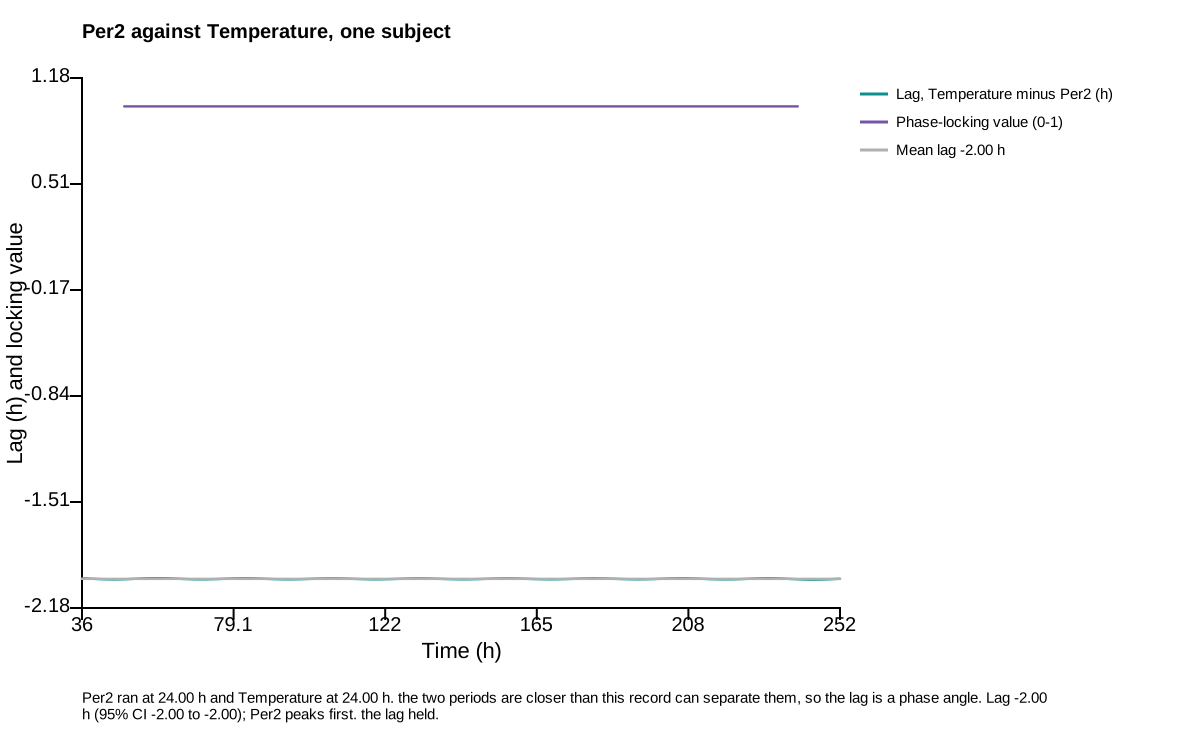
This deterministic example is calculated by the channel_comparison action and drawn by render_channel_comparison_svg, the same renderer used for publication export. Empty or withheld elements are therefore visible exactly as they are in a real result.
import circadian_workbench as cw

cw.channels(hours, {"PER2": per2, "temperature": temperature}).compare()
Required inputs and controls
The public function is the registered action below. settings= is accepted as a friendlier alias for config= by cw.call; the calculation stores the complete normalized config in provenance.
Function reference
cw.call("channel_comparison", recording, channels, config=None)
Arguments and parameters
| Name | Type | Required | Default | Units | Meaning |
|---|---|---|---|---|---|
recording |
recording spec | yes | — | - | The record to analyse: {'path': 'data/m01.awd'} (a bare path string also works), {'demo': true} for the built-in deterministic record, {'inline': {'filename': ..., 'text': ...}} for tabular text, {'trace': {'hours': [...], 'values': [...], 'name': ...}} for one elapsed-time trace, or {'channels': {'hours': [...], 'values': {'reporter_a': [...], 'reporter_b': [...]}}} for several measurements from one subject. |
channels |
array | yes | — | - | Exactly two measurement channel keys from this recording, e.g. ["activity", "body_temperature"]. Use inspect to list what a recording carries. |
config |
object | no | null |
- | Partial analysis config. Missing keys fall back to analysis.DEFAULT_CONFIG and out-of-range values are clamped silently — run describe_config for every key, its default and its allowed values, or normalize_config to see what a given config actually becomes. |
Every nested config key, default, allowed value, and purpose is listed in the complete configuration reference.
How it works
Each channel is binned using its own aggregation rule and receives an independent period estimate. Their analytic phases are then compared by the same two-trace phase-locking calculation used for pairwise coupling.
$$ |P_1-P_2|\leq\frac{P^2}{T}\quad\text{is required before lag is called a phase angle} $$
Implementation: analysis.py::channel_comparison.
Outputs and interpretation
The result reports both channel identities, units, aggregation rules and periods, their agreement resolution, phase lag and interval, phase-locking value, drift, coverage, and interpretation guard.
cw.call returns a Result: use .data for calculated values, .warnings for scientific qualifications, .provenance for version and input identity, .script for an equivalent replay script, and .files for saved outputs.
Limitations
This is exactly a two-channel comparison, not a network analysis. When periods differ beyond the record's resolution, the average lag is explicitly not interpreted as a stable phase angle.
Example
The figure above is a real package result from a seeded, redistributable synthetic dataset. Its audited project bundle retains figure_data.csv, a standalone plot.py, source hashes, an editable SVG, and a rendered preview.
Methods text
The two selected channels were binned by their declared aggregation rules, estimated independently for period, and compared by Hilbert phase difference and phase-locking value on their shared time grid.
See also
Measure population synchrony · Map phase across space · Measure pairwise coupling · Analysis index · Gallery